How to Automate Pine Script Strategies with AI? (Pine Script Guide for TradingView Users)
Author : Ranga Technologies
Publish Date : 3 / 29 / 2026 • 2 mins read
Last Updated : 3 / 29 / 2026
Are you still manually writing every line of Pine Script code… testing, fixing errors, adjusting risk rules, only to realize your strategy still doesn’t behave properly in the Strategy Tester?
What if you could automate Pine Script strategy creation with AI, without sacrificing logic, execution awareness, or backtest realism? Let’s break this down properly.
Manual Pine Script coding is slow and error-prone. Many TradingView users report strategies that look perfect in backtests but fail live. Common pitfalls include syntax errors, repainting, missing trend filters, and poor risk management.
This guide covers:
- Why automating Pine Script matters
- How AI generates strategy-ready code
- The difference between manual scripts and structured Pine Script automation
- Why PineGen AI outperforms generic tools
1. Why Automate Pine Script Strategies?
Many traders build strategies manually in the Pine Script editor. That works, but it creates challenges:
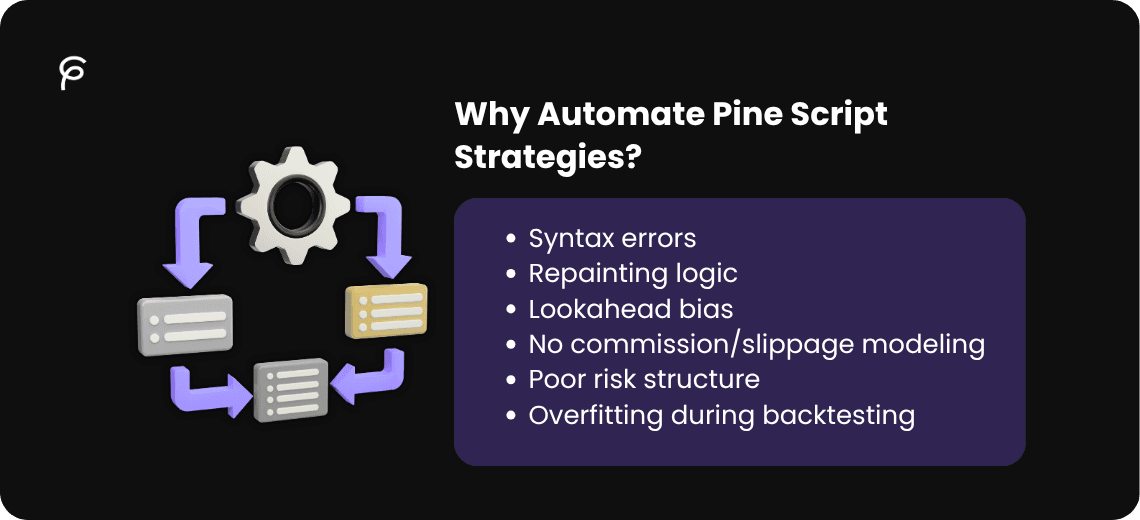
- Syntax errors
- Repainting logic
- Lookahead bias
- No commission/slippage modeling
- Poor risk structure
- Overfitting during backtesting
According to repeated discussions on Reddit trading communities, many users report that their Pine Script strategies perform well in backtests but fail live due to structural coding issues, not necessarily bad ideas.
Automation helps reduce:
- Human coding mistakes
- Version mismatches (v4, v5, v6)
- Missing strategy blocks
- Incorrect request.security() usage
- Improper exit logic
AI-assisted Pine Script workflows structure code safely and consistently, improving backtest realism.
2. What Does AI Automation in Pine Script Actually Mean?
AI automation doesn’t mean “press button, get rich.”
It means:
- Generating Pine Script code from plain language
- Converting indicators into full Pine Script Strategy format
- Adding stop-loss, take-profit, and ATR logic
- Ensuring compatibility with TradingView Pine Script strategy tester
- Reducing repainting risks
- Suggesting parameter optimization structure
A pine script ai generator should produce strategy-ready code, not just indicator snippets.
3. How Pine Script AI Tools Work
They’re usually looking for automation that:
- Writes functional code
- Compiles without errors
- Works inside the Pine Script strategy tester
- Handles risk management correctly
However, many generic AI tools simply generate syntax-correct code but ignore execution logic.
That’s where structured Pine Script AI tools matter.
Example: Unlike basic generation, PineGen AI’s live features help you visualize and validate logic before final deployment: Live Preview Feature in PineGen AI and How It Works
4. Manual vs AI-Structured Strategy
Let’s compare a basic manual Pine Script strategy with a properly structured version.
Basic Manual Version (Common Mistakes)
//@version=6
strategy("Basic EMA Crossover", overlay=true)

fast = ta.ema(close, 9)
slow = ta.ema(close, 21)

if ta.crossover(fast, slow)
    strategy.entry("Long", strategy.long)

if ta.crossunder(fast, slow)
    strategy.entry("Short", strategy.short)
Problems:
No stop loss
No take profit
No slippage
No commission
No trend filter
No volatility filter
No confirmed bar logic
Backtest may look great, live performance unstable.
Structured, Automation-Ready Pine Script Strategy
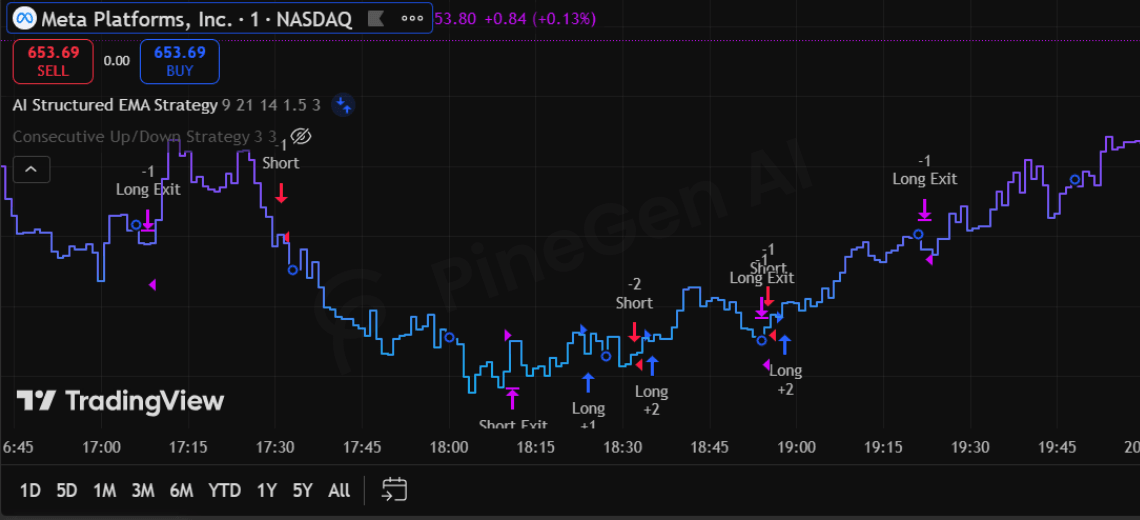
//@version=6
strategy("AI Structured EMA Strategy",
     overlay=true,
     commission_type=strategy.commission.percent,
     commission_value=0.1,
     slippage=2,
     initial_capital=10000)

// Inputs
fastLen = input.int(9)
slowLen = input.int(21)
atrLen = input.int(14)
riskATR = input.float(1.5)
rewardATR = input.float(3.0)

// Indicators
fastEMA = ta.ema(close, fastLen)
slowEMA = ta.ema(close, slowLen)
atr = ta.atr(atrLen)

// Trend Filter
trendUp = close > slowEMA
trendDown = close < slowEMA

// Entry Conditions
longCondition = ta.crossover(fastEMA, slowEMA) and trendUp and barstate.isconfirmed
shortCondition = ta.crossunder(fastEMA, slowEMA) and trendDown and barstate.isconfirmed

if longCondition
    strategy.entry("Long", strategy.long)

if shortCondition
    strategy.entry("Short", strategy.short)

// Risk Management
strategy.exit("Long Exit", "Long",
     stop=close - atr * riskATR,
     limit=close + atr * rewardATR)

strategy.exit("Short Exit", "Short",
     stop=close + atr * riskATR,
     limit=close - atr * rewardATR)
This version:
- Includes slippage
- Includes commission
- Uses confirmed bars
- Applies volatility-based exits
- Filters trend direction
Is ready for Pine Script strategy tester
This is the difference automation should provide.
5. Why Use PineGen AI Instead of Other Tools?
Let’s stay factual.
- Based on PineGen AI’s published content and positioning:
- It focuses specifically on Pine Script automation.
- It addresses the gap between backtesting and live trading logic.
- It structures full Pine Script Strategy code rather than partial snippets.
- It integrates execution-aware logic instead of just syntax generation.
Generic AI tools: Write code. But often ignore trading execution realities.
PineGen AI:
- Targets Pine Script as a domain.
- Emphasizes strategy-ready code.
- Aligns with TradingView Pine Script workflow.
For example, multi‑timeframe logic and version stability are often pain points in general AI outputs, PineGen AI tailors this part for you: Building Multi‑Timeframe Trading Strategies in PineGen AI
It is positioned as a pine script ai tool built for strategy automation rather than general coding.
That’s the structural difference.
6. Conclusion
Automating Pine Script strategies with AI isn’t about replacing traders. It’s about: Reducing coding friction Avoiding structural mistakes Improving backtest realism Saving development time
If you’re already using TradingView daily, automation can remove repetitive coding tasks and help you focus on strategy logic instead of debugging.
If you want structured Pine Script strategies that are ready for testing inside TradingView, without manual trial and error Explore PineGen AI and see how automation changes your Pine Script workflow.