How Does PineGen AI Code Validation and Compilation Work?
Author : Ranga Technologies
Publish Date : 3 / 29 / 2026 • 1 mins read
Last Updated : 3 / 29 / 2026
Have you ever generated Pine Script code… pasted it into TradingView… and watched it fail to compile? Or worse, it compiles, but throws runtime errors inside the Strategy Tester?
If you’re serious about building automated trading systems, code validation and proper compilation are not optional, they’re foundational. So how does PineGen AI Code Validation and Compilation actually solve this?
Let’s break it down properly.
Many TradingView users generate Pine Script code that compiles successfully — yet fails in realistic backtesting. The issue is rarely the trading idea. It’s structural execution logic.
This guide explains:
- What Pine Script validation really means
- Why compilation alone isn’t enough
- How PineGen AI approaches structured automation
- How this connects with PineGen’s broader AI development framework
By automating Pine Script strategies, tools like PineGen AI reduce errors, repainting risks, and unrealistic backtests.
1. Why Compilation Isn’t Enough
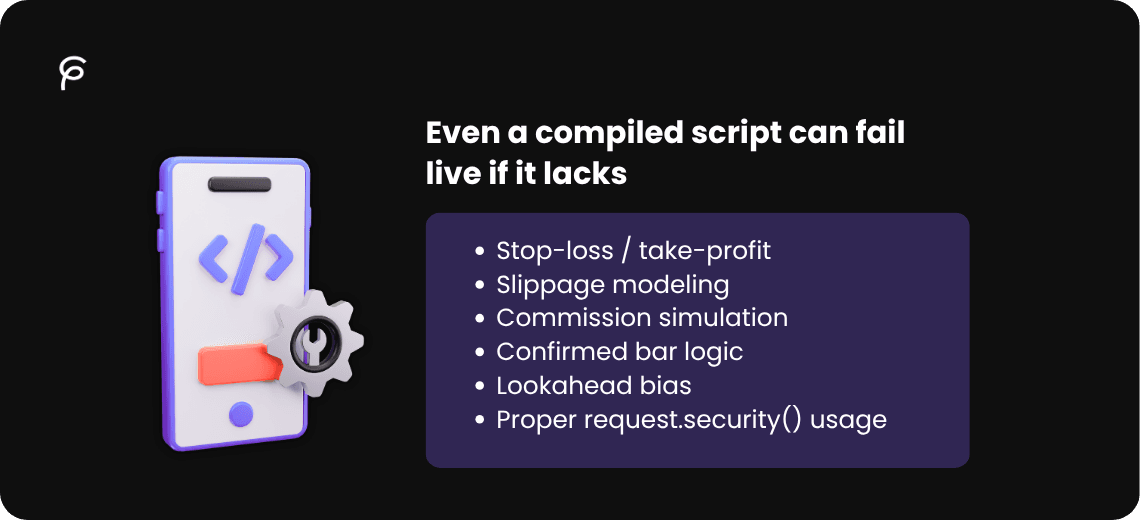
The Pine Script editor only checks syntax. The Strategy Tester checks execution behavior. Even a compiled script can fail live if it lacks:
- Stop-loss / take-profit
- Slippage modeling
- Commission simulation
- Confirmed bar logic
- Lookahead bias
- Proper request.security() usage
Many TradingView users have discussed this problem. Automating Pine Script strategy creation with AI-assisted workflows ensures execution-aware logic instead of just syntax correctness.
2. What Code Validation Really Means
- Validation goes beyond compilation. For Pine Script:
- Proper strategy() declaration
- Correct entry/exit pairing
- Confirmed bar logic (barstate.isconfirmed)
- Risk modeling (ATR or percentage stops)
- Commission & slippage configuration
- Avoidance of repainting
Using structured Pine Script AI generators ensures all these are automatically included in the generated strategy.
3. Manual vs Structured Pine Script Strategy
Let’s compare common manual scripts with structured automation.
Basic Manual Version
//@version=6
strategy("Basic EMA Crossover", overlay=true)

fast = ta.ema(close, 9)
slow = ta.ema(close, 21)

if ta.crossover(fast, slow)
   strategy.entry("Long", strategy.long)

if ta.crossunder(fast, slow)
   strategy.entry("Short", strategy.short)
Issues:
No stop loss or take profit
No volatility filter
No commission or slippage
No trend filter
No confirmed bar logic
Backtest may look good but live performance is often unstable.
Structured Automation-Ready Version
//@version=6
strategy("AI Structured EMA Strategy",
    overlay=true,
    commission_type=strategy.commission.percent,
    commission_value=0.1,
    slippage=2,
    initial_capital=10000)

fastLen = input.int(9)
slowLen = input.int(21)
atrLen = input.int(14)
riskATR = input.float(1.5)
rewardATR = input.float(3.0)

fastEMA = ta.ema(close, fastLen)
slowEMA = ta.ema(close, slowLen)
atr = ta.atr(atrLen)

trendUp = close > slowEMA
trendDown = close < slowEMA

longCondition = ta.crossover(fastEMA, slowEMA) and trendUp and barstate.isconfirmed
shortCondition = ta.crossunder(fastEMA, slowEMA) and trendDown and barstate.isconfirmed

if longCondition
   strategy.entry("Long", strategy.long)

if shortCondition
   strategy.entry("Short", strategy.short)

strategy.exit("Long Exit", "Long",
    stop=close - atr * riskATR,
    limit=close + atr * rewardATR)

strategy.exit("Short Exit", "Short",
    stop=close + atr * riskATR,
    limit=close - atr * rewardATR)
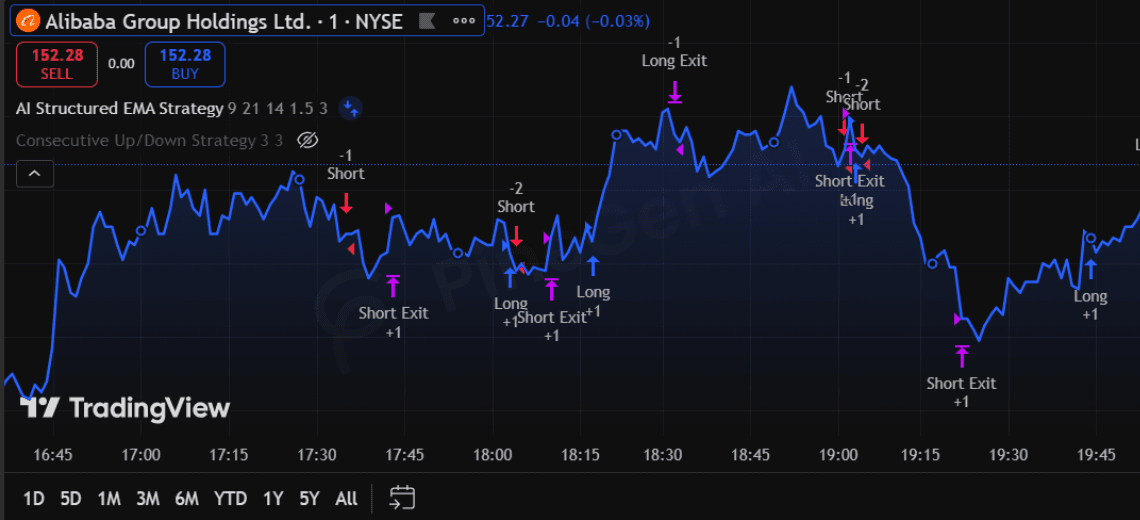
This structured strategy reflects the capabilities of PineGen AI, including slippage, trend filtering, confirmed bars, and volatility-based exits.
4. Multi-Timeframe & Execution-Aware Logic
Many scripts fail in multi-timeframe setups because of improper request.security() usage. This can cause:
- Lookahead bias
- Repainting
- Inconsistent backtests
PineGen AI handles multi-timeframe strategies safely with V6 standards, ensuring reliable execution and consistent backtesting.
5. Live Preview & Real-Time Validation
Blindly exporting generated code can waste hours. PineGen AI’s Live Preview feature allows visual inspection of logic before deployment, shortening development cycles and improving Strategy Tester validation.
6. Why PineGen AI Instead of Generic AI Tools?
Generic AI:
- Generates syntax-correct code
- Often ignores execution realities
- Rarely structures full strategy blocks
PineGen AI:
- Focuses specifically on Pine Script automation
- Structures full strategy-ready code
- Integrates execution-aware logic
- Aligns with TradingView workflow This ensures realistic backtesting, fewer errors, and faster development.
7. Conclusion
Automation doesn’t replace traders. It removes friction, reduces errors, and ensures realistic backtesting. If you want execution-aware Pine Script strategies, ready for TradingView backtests without endless debugging:
Explore PineGen AI today, transform your strategy workflow with structured AI automation.