How to Write Pine Script With AI (Pine Script v6)
Author : Ranga Technologies
Publish Date : 3 / 17 / 2026 • 2 mins read
Last Updated : 3 / 17 / 2026
Pine Script is TradingView’s scripting language for creating custom indicators and automated strategies. Traditionally, strategy coding required technical knowledge and hours of debugging. Today, AI-assisted Pine Script tools such as PineGen AI, Pineify, and Pine Script Wizard allow traders to describe ideas in plain English and instantly receive valid Pine Script code, making automation faster, more accurate, and beginner-friendly.
Why Pine Script Matters in Trading
TradingView’s Pine Script allows traders to automate strategies, test ideas, and manage trades programmatically. From moving average crossovers to ATR-based trailing stops, Pine Script provides flexibility — but it comes with a learning curve.
Small syntax errors or outdated functions can stop a script from compiling, and writing even a simple strategy can take hours for beginners. This is why Pine Script AI tools have gained traction: they shorten the coding process by translating natural-language prompts into working code.
Writing a Simple Strategy in Pine Script
To understand the basics, let’s look at a common beginner strategy — a moving average crossover:
//@version=6

strategy("SMA Crossover", overlay=true)

strategy("SMA Crossover", overlay=true)

fastMA = ta.sma(close, 10)

slowMA = ta.sma(close, 30)

if ta.crossover(fastMA, slowMA)

strategy.entry("Long", strategy.long)

if ta.crossunder(fastMA, slowMA)

strategy.close("Long")
This simple script:
Buys when the 10-period SMA crosses above the 30-period SMA Exits when the 10 SMA crosses back below
It’s a clear, rules-based framework — but expanding it manually with RSI filters, stop-losses, or ATR trailing exits takes more code and more time.
How AI Tools Change the Workflow
Instead of manually coding every rule, traders can describe their strategy to an AI tool:
“Create a strategy that enters long when RSI is below 30 and exits when MACD crosses below its signal line.”
A specialized Pine Script AI generator will instantly output structured, valid Pine Script v6 code with correct indicator functions, entry/exit logic, and comments. This transforms hours of manual coding into a process that takes only seconds.
Even better, tools like Pinegen.ai now support prompt refinement. For example, after generating the above RSI–MACD strategy, you can simply say:
“Now add a 1.5x ATR stop-loss.”
And the AI updates the same script without starting from scratch — making iterative development natural and efficient.
Step-by-Step: How to Write Pine Script with AI
1. Open a Pine Script–specialized AI
Use a tool built for TradingView scripting (e.g., PineGen AI; also works with Pineify / Pine Script Wizard).
2. Paste a very simple, clear prompt
“Create an RSI divergence strategy.”
“Build a moving average crossover strategy.”
“Write a MACD buy/sell strategy.”
“Code a strategy that buys when RSI 70.”
“Add an ATR-based stop-loss and trailing stop.”
3. Generate the code
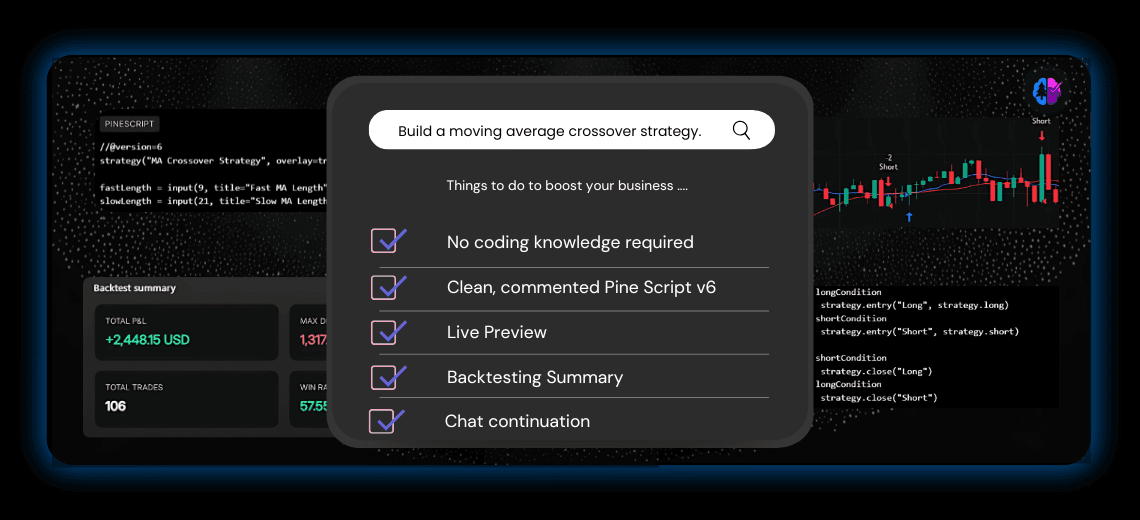
The AI returns clean, commented Pine Script v6 with strategy(), ta.ema, ta.atr, strategy.entry, and strategy.exit already wired up.
4. Live preview (no copy-paste needed in some tools)
In PineGen AI, you’ll see a live chart preview of entries/exits on sample data so you can visually confirm the logic immediately.
5. Read the backtest summary
Alongside the preview, you’ll get a backtest panel (e.g., total trades, win rate, net profit, expectancy, max drawdown, profit factor). Use this to spot obvious issues (too many trades, unrealistic results, etc.).
6. Refine with one-line follow-ups (chat continuation)
“Make EMA length an input default 20.” “Only trade during 09:30–16:00 exchange time.” “Disable Friday trades.” “Add a trailing stop at 1× ATR.” The AI updates the same script, no need to restate everything.
Specialized Pine Script AI Tools
It’s worth noting that not all AI models handle Pine Script well. Generic chatbots often misapply functions, confuse indicators with strategies, or use outdated syntax. By contrast, tools built specifically for Pine Script perform much better.
- PineGen AI → Known for accurate code generation, v6 support, live preview, backtesting and chat memory for iterative updates.
- Pineify → Offers a clean UI and simple prompt-to-code workflow, good for beginners.
- Pine Script Wizard → Focused on generating ready-to-use TradingView scripts quickly.
- PineFi & PineReady → Newer entrants experimenting with improving AI accuracy for Pine Script.
While each has strengths, consistent accuracy, readability, and iterative refinement are what set the best tools apart.
Benefits of Using AI in Pine Script Strategy Development
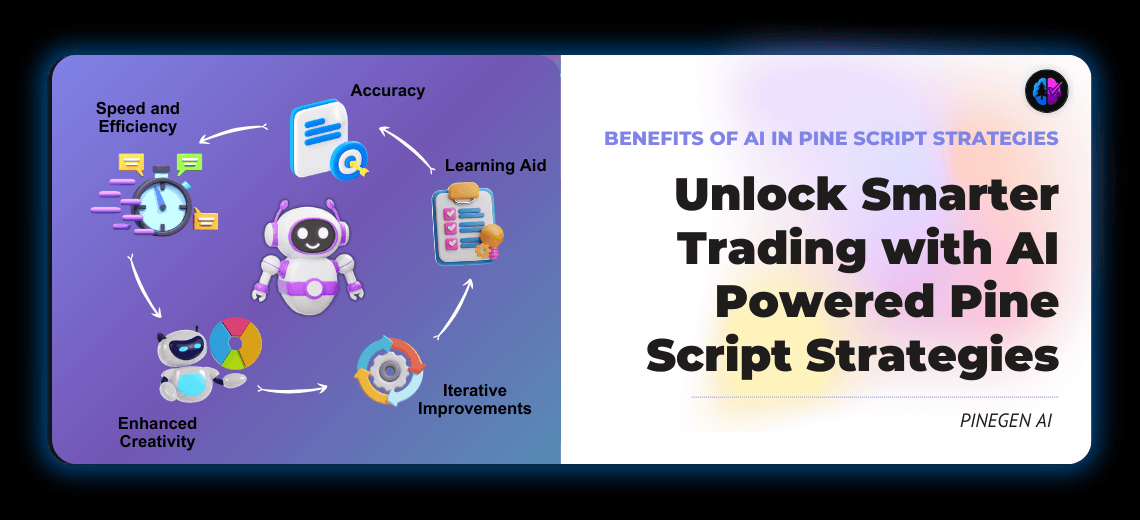
- Speed and Efficiency: Turn trading ideas into executable Pine Script code fast without deep programming knowledge.
- Accuracy and Modern Standards: Leverage cutting-edge Pine Script versions and coding standards automatically.
- Iterative Improvements: Quickly test variations and optimize strategies by modifying AI-generated templates.
- Learning Aid: Beginners get to learn Pine Script structure through well-commented AI outputs, enhancing skill over time.
- Enhanced Creativity: Free from coding drudgery, traders can focus more on market analysis and strategy conceptualization.
Where Manual Coding Still Wins
AI tools accelerate strategy creation, but manual coding still matters when:
- Building highly customized scripts with advanced overlays or multi-symbol analysis
- Fine-tuning for performance and optimization
- Learning Pine Script fundamentals from the ground up
- The smartest workflow often combines both: use AI for rapid prototyping, then refine manually for precision.
Final Thoughts
Writing Pine Script strategies can be challenging, but AI has made it dramatically more accessible. With tools like PineGen AI, Pineify, and others, traders can move from concept to code in seconds, test strategies faster, and learn through real examples.
The balance is clear: AI tools provide speed and accessibility, while manual coding ensures depth and customization. Together, they give traders a practical edge in building robust, testable strategies for today’s fast-moving markets.