Tips and Tricks for Effective Prompting
Author : Ranga Technologies
Publish Date : 3 / 17 / 2026 • 2 mins read
Last Updated : 3 / 17 / 2026
PineGen AI offers a game-changing way to generate Pine Script code using natural language prompts. With just a sentence or two, traders can convert their strategy ideas into ready-to-test scripts on TradingView.
But like any powerful tool, the output is only as good as the input.
The magic lies in how you phrase your prompt. Clear, detailed instructions help the AI better understand your trading logic, resulting in more accurate and usable scripts. This blog walks you through actionable tips and examples to help you craft high-quality prompts and unlock the full potential of PineGen AI.
1. Be Specific with Indicators and Conditions
Why it matters: General or vague prompts often lead to incomplete or misaligned code. Precise language ensures the AI understands exactly what you want.
Vague Prompt:
“Use moving averages for trend detection.”
Improved Prompt:
“Buy when the 20-period Simple Moving Average (SMA) crosses above the 50-period SMA.”
By specifying the type of moving average (SMA), the periods (20 and 50), and the action (crosses above), you give the AI a clear directive to generate relevant logic and syntax in Pine Script.
Bonus Tip: If you’re combining multiple indicators, label each one clearly:
“Enter long when 14-period RSI is below 30 and 20-period EMA crosses above 50-period EMA.”
2. Include Timeframes in Your Strategy
Why it matters: Different trading styles (scalping, swing, positional) operate on different timeframes. Mentioning your intended chart timeframe aligns the strategy contextually.
Prompt Example:
“Apply the strategy on a 15-minute chart using a 9 EMA crossover and RSI below 40 for entry.”
This helps the AI ensure the script logic fits the volatility and data behavior of shorter or longer timeframes.
Pro Tip: Even though Pine Script can adapt to any chart timeframe, stating your preference helps guide the AI’s assumptions and optimizations.
3. Define Clear Entry and Exit Rules
Why it matters: The more exact your entry and exit criteria, the better the AI can build a complete trading strategy.
Prompt Example:
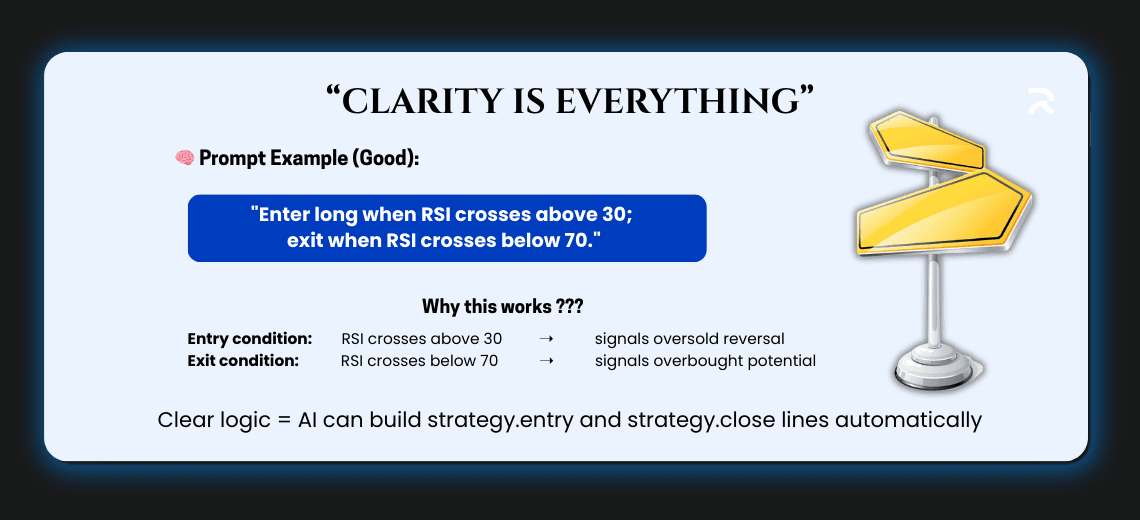
“Enter long when RSI crosses above 30; exit when RSI crosses below 70.”
This gives the AI two well-defined triggers to structure the strategy.entry and strategy.close conditions. You avoid ambiguity and get a script that actually manages trade lifecycle events.
Extra Example:
“Short when the MACD histogram turns negative and exit when price crosses above the 50 SMA.”
This creates directional flow in the strategy that the AI can encode properly.
4. Add Risk Management Parameters
Why it matters: Stop-losses and take-profits are essential for realistic and testable strategies. Including them in the prompt lets the AI bake them directly into the code.
Prompt Example:
“Set a stop-loss 2% below entry price and take-profit 4% above.”
The resulting script will use strategy.exit functions with stop and limit parameters based on your thresholds. This lets you backtest strategies with proper risk control from the start.
Bonus: You can even add trailing stops like:
“Include a 1.5% trailing stop-loss after the trade is triggered.”
5. Use Conditional Logic for Complex Strategies
Why it matters: Real-world strategies often rely on multiple conditions working together. The AI supports conditional logic like AND/OR to build more nuanced scripts.
Prompt Example:
“Enter short when the 50 EMA is below the 200 EMA and MACD histogram is negative.”
This combines trend confirmation (EMA cross) with momentum confirmation (MACD histogram), giving you a more robust strategy framework.
Advanced Prompt:
“Buy when RSI is above 50 AND price closes above upper Bollinger Band; exit if RSI drops below 40 OR MACD crosses below signal line.”
This kind of detail helps the AI generate multi-layered logic with nested conditions.
6. Test, Analyze, and Iterate
Why it matters: Strategy development is rarely one-and-done. Even well-phrased prompts may require tweaking based on backtest results.
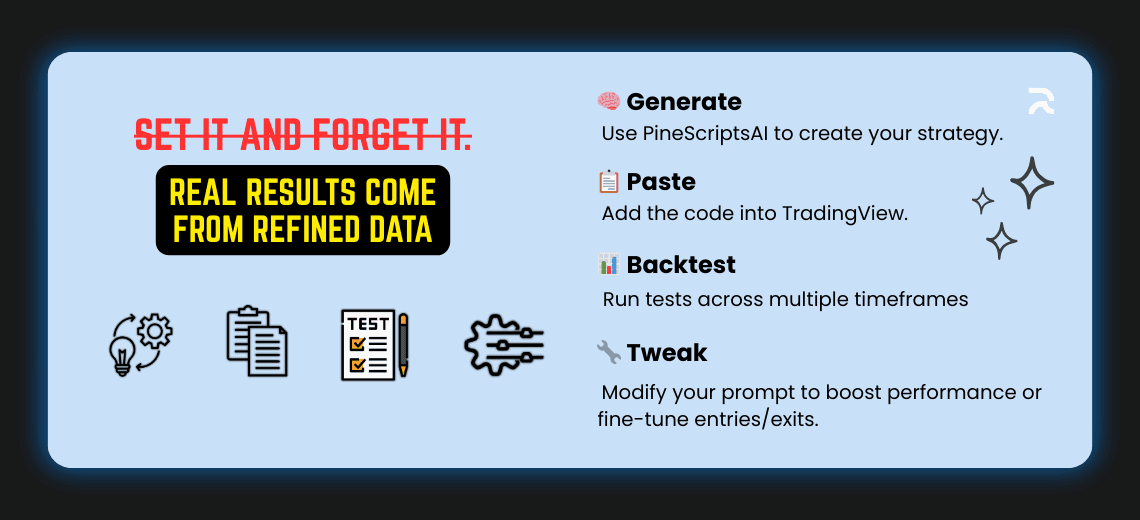
Workflow Recommendation:
- Generate your strategy with PineGen AI.
- Paste the code into TradingView.
- Run backtests across different timeframes and assets.
- Modify your prompt to improve performance or adjust conditions.
Iteration Prompt Example:
Original: “Buy when RSI crosses above 30.” After testing: “Buy when RSI crosses above 35 and volume is above average.”
This iterative refinement leads to better performance and deeper strategy insight.
Conclusion: Prompt Like a Pro
The strength of your strategy depends on the strength of your prompt. By being specific, detailed, and methodical, you can use PineGen AI to create highly accurate and fully functional Pine Script code in seconds.
Effective prompting allows you to:
Eliminate coding guesswork. Build custom trading strategies tailored to your style. Rapidly test and refine ideas without writing manual scripts. Ready to put these tips into action?
👉 Head over to Pinegen.ai and try crafting your own prompt today. Whether you’re designing a trend-following system or a multi-indicator scalping strategy, you’ll be amazed by what you can build, with just a few words.