How to Build a Nasdaq (QQQ) TradingView Strategy Using Pine Script AI
Author : Ranga Technologies
Publish Date : 5 / 4 / 2026 • 1 mins read
Last Updated : 5 / 4 / 2026

Why do so many traders fail to build consistent strategies for Nasdaq (QQQ)… even when they’re using the “right” indicators? Is the problem the market, or the way the strategy is built and tested?
Building a reliable TradingView strategy for Nasdaq (QQQ) isn’t about stacking indicators, it’s about structure, validation, and fast iteration. In this guide, you’ll learn how to build, test, and improve a QQQ trading strategy using pine script ai tools without getting stuck in coding errors.
1. Why Trading Nasdaq (QQQ) Is Different
QQQ tracks the Nasdaq-100, which is heavily weighted toward tech stocks.
That creates specific behavior:
-
strong trends
-
sharp reversals
-
high volatility
This means:
-
simple strategies often overtrade
-
weak filters lead to false signals
-
risk management becomes critical
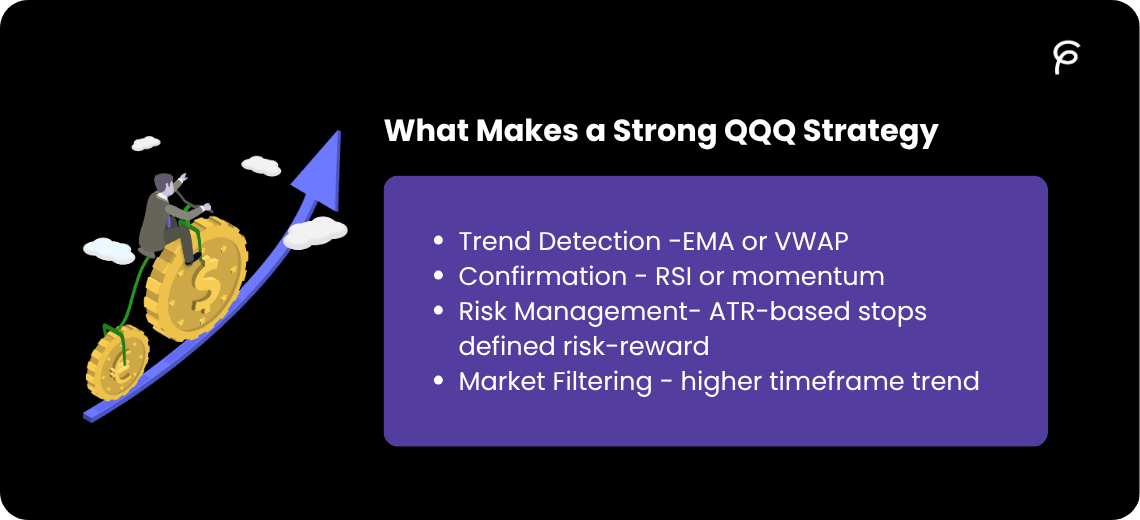
2. What Makes a Strong QQQ Strategy
A working QQQ strategy usually includes:
-
Trend Detection - EMA or VWAP
-
Confirmation - RSI or momentum
-
Risk Management - ATR-based stops, defined risk-reward
-
Market Filtering - higher timeframe trend
If you skip any of these, performance drops quickly.
3. Why Most TradingView Strategies Fail on QQQ
From real discussions (Reddit, Quora), common issues:
-
overfitting indicators
-
no volatility adaptation
-
ignoring higher timeframe
-
relying only on backtests
4. How Pine Script AI Builds QQQ Strategies
Process: Step 1: Describe Strategy
Example: “Trade QQQ using EMA crossover with RSI filter and ATR stop-loss”
Step 2: AI Converts Logic
-
EMA → trend
-
RSI → confirmation
-
ATR → risk
Step 3: Generate Code
You get: entries, exits, full structure
Step 4: Test Instantly
Move directly into:
-
iteration
5. Step-by-Step: Build a QQQ Strategy
Step 1: Define Core Idea Trend + confirmation + risk
Step 2: Choose Indicators
-
EMA
-
RSI
-
ATR
Step 3: Add Multi-Timeframe Filter This is critical for QQQ.
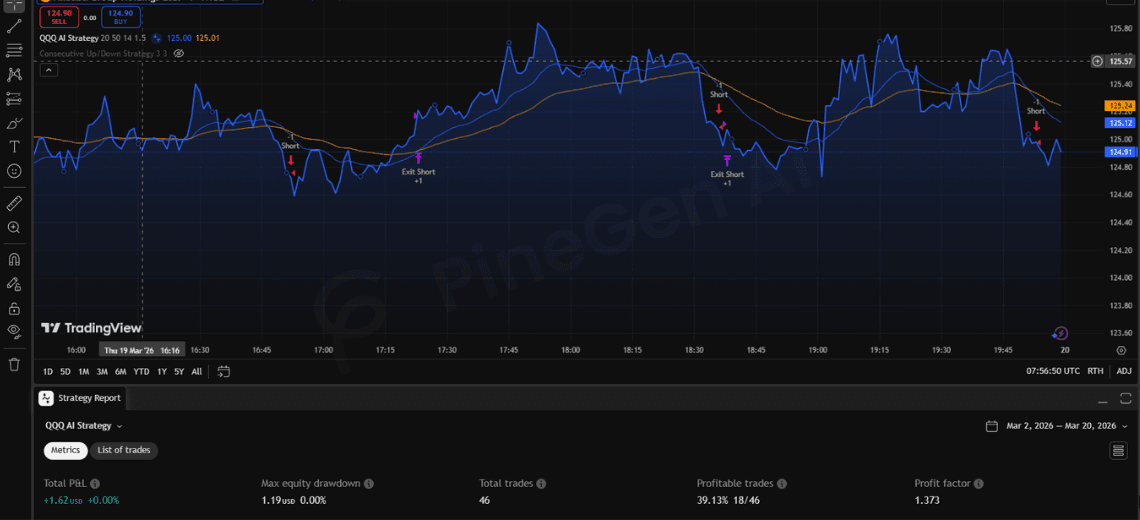
Step 4: Test Strategy Use pine script strategy tester:
-
win rate
-
drawdown
-
consistency
Step 5: Optimize
Refine:
-
entry conditions
-
stop-loss
-
filters
6. Full Pine Script Strategy (QQQ Example)
//@version=6
strategy("QQQ AI Strategy", overlay=true)

// Inputs
fastLen = input.int(20)
slowLen = input.int(50)
rsiLen = input.int(14)
atrMult = input.float(1.5)

// Indicators
emaFast = ta.ema(close, fastLen)
emaSlow = ta.ema(close, slowLen)
rsi = ta.rsi(close, rsiLen)
atr = ta.atr(14)

// Higher timeframe filter
htfEMA = request.security(syminfo.tickerid, "1D", ta.ema(close, 100), lookahead=barmerge.lookahead_off)

// Entry logic
longCond = ta.crossover(emaFast, emaSlow) and rsi > 50 and close > htfEMA
shortCond = ta.crossunder(emaFast, emaSlow) and rsi < 50 and close < htfEMA

if longCond
    strategy.entry("Long", strategy.long)

if shortCond
    strategy.entry("Short", strategy.short)

// Dynamic exits
strategy.exit("Exit Long", "Long", stop=close - atr * atrMult, limit=close + atr * 2)
strategy.exit("Exit Short", "Short", stop=close + atr * atrMult, limit=close - atr * 2)

// Plot
plot(emaFast, color=color.blue)
plot(emaSlow, color=color.orange)
Why This Works
-
filters trend with EMA
-
avoids weak trades with RSI
-
adapts risk using ATR
-
prevents counter-trend trades
7. Why PineGen AI Is More Reliable Than Other Tools
Generic AI Problems
-
incorrect Pine Script syntax
-
missing logic
-
outdated versions
PineGen AI Advantages
-
Pine Script v6 focused
-
full strategy structure
-
optimized for TradingView
Conclusion
Trading Nasdaq (QQQ) isn’t about guessing the market. It’s about:
-
structured logic
-
controlled risk
-
continuous improvement
AI doesn’t make strategies profitable by itself. But it helps you:
-
build faster
-
test smarter
-
improve consistently
Try PineGen AI and build your next QQQ strategy faster, with fewer errors and better structure.