Can AI Tools Speed Up Pine Script Coding Without Breaking Your Strategy?
Author : Ranga Technologies
Publish Date : 5 / 6 / 2026 • 2 mins read
Last Updated : 5 / 6 / 2026
Building a trading strategy used to mean hours of writing, debugging, and testing Pine Script code inside TradingView. Today, AI tools are changing that workflow. But the real question is not speed, it’s reliability.
In this article, we break down how AI tools impact Pine Script development, where they actually save time, and where traders still struggle. We also look at how specialized tools like PineGen AI improve coding accuracy, reduce iteration cycles, and help traders move from idea to tested strategy faster.
1. Why Pine Script Workflow Feels Slow
Let’s be honest, Pine Script isn’t hard because of logic. It’s hard because of the workflow.
You’re constantly switching between:
-
writing code
-
fixing syntax errors
-
testing inside TradingView
-
going back to edit again
This loop slows everything down.
Even experienced traders run into:
-
version mismatches
-
incomplete strategy blocks
-
repainting issues
-
broken backtests
If you’ve faced this, you’re not alone.
2. What AI Tools Actually Do in Pine Coding
AI tools don’t magically create profitable strategies.
What they actually do:
-
convert ideas into structured Pine Script code
-
reduce manual syntax writing
-
speed up initial strategy creation
For example:
-
You describe → “EMA crossover with ATR stop-loss”
-
AI generates → full strategy with entries, exits, and risk logic
This removes the biggest bottleneck: starting from scratch
3. Where Most AI Tools Fail
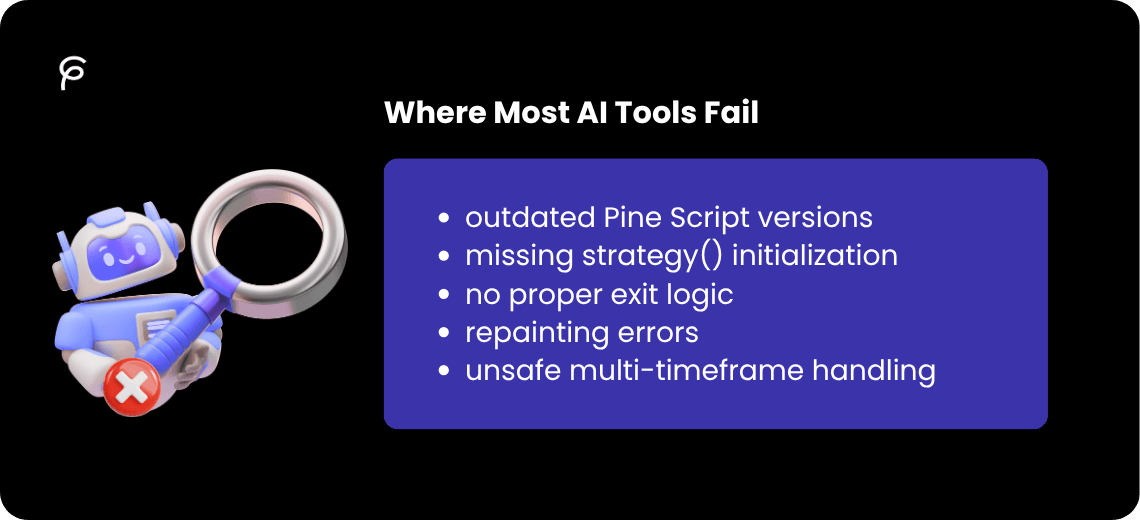
Not all AI tools are built for Pine Script.
Common issues:
-
outdated Pine Script versions
-
missing strategy() initialization
-
no proper exit logic
-
repainting errors
-
unsafe multi-timeframe handling
This is why many traders still say:
“AI saves time… but I still have to fix everything”
4. How AI Speeds Up the Coding Workflow
When used properly, AI improves workflow in three key areas:
1. Faster First Draft
Instead of writing 100+ lines manually, you get a structured base instantly.
2. Reduced Debugging
Cleaner code = fewer compilation errors.
3. Faster Iteration
You can test multiple ideas quickly instead of being stuck on one.
This aligns with how modern traders build systems today.
5. Step-by-Step: AI-Assisted Strategy Building
Step 1: Define the Idea
Example: “Trend-following strategy using EMA + RSI + ATR”
Step 2: Generate Code Using AI
Use a pine script ai generator to convert logic into code.
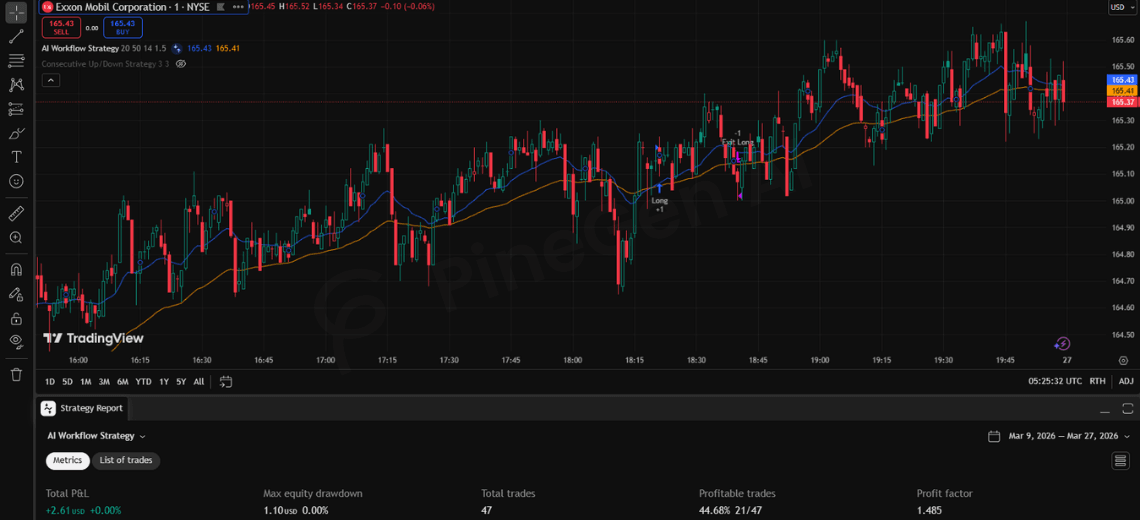
Step 3: Test in Strategy Tester
Evaluate:
-
win rate
-
drawdown
-
profit factor
Step 4: Improve Iteratively
Adjust:
-
filters
-
stop-loss
-
entry conditions
6. Full Pine Script Strategy Example (AI-Generated Style)
//@version=6
strategy("AI Workflow Strategy", overlay=true)

// Inputs
fastLen = input.int(20, "Fast EMA")
slowLen = input.int(50, "Slow EMA")
rsiLen  = input.int(14, "RSI Length")
atrMult = input.float(1.5, "ATR Multiplier")

// Indicators
emaFast = ta.ema(close, fastLen)
emaSlow = ta.ema(close, slowLen)
rsiVal  = ta.rsi(close, rsiLen)
atrVal  = ta.atr(14)

// Higher timeframe trend (non-repainting)
htfTrend = request.security(
     syminfo.tickerid,
     "60",
     ta.ema(close, 100),
     lookahead=barmerge.lookahead_off
)

// Entry conditions (confirmed bar)
longCond  = ta.crossover(emaFast, emaSlow) and rsiVal > 50 and close > htfTrend
shortCond = ta.crossunder(emaFast, emaSlow) and rsiVal < 50 and close < htfTrend

if (longCond and barstate.isconfirmed)
    strategy.entry("Long", strategy.long)

if (shortCond and barstate.isconfirmed)
    strategy.entry("Short", strategy.short)

// Exit logic (ATR-based)
longSL  = strategy.position_avg_price - atrVal * atrMult
longTP  = strategy.position_avg_price + atrVal * 2
shortSL = strategy.position_avg_price + atrVal * atrMult
shortTP = strategy.position_avg_price - atrVal * 2

strategy.exit("Exit Long",  from_entry="Long",  stop=longSL,  limit=longTP)
strategy.exit("Exit Short", from_entry="Short", stop=shortSL, limit=shortTP)

// Plot
plot(emaFast, color=color.blue)
plot(emaSlow, color=color.orange)
6.1 Why This Matters
This is not just code, it’s a complete strategy structure:
-
trend filter
-
confirmation
-
volatility-based risk
-
multi-timeframe logic
7. Why PineGen AI Stands Out
Generic AI tools generate code.
PineGen AI focuses on strategy execution.
What makes the difference:
-
built specifically for TradingView Pine Script
-
generates Pine Script v6 compliant code
-
includes full strategy structure (entry + exit + risk)
-
reduces compilation errors significantly
-
supports faster iteration cycles
Instead of:
“Generate → Fix → Debug → Repeat”
You move to:
“Generate → Test → Improve”
8. Conclusion
AI tools are not replacing trading knowledge, they are changing how strategies are built.
The real advantage is not just speed.
It’s the ability to:
-
test faster
-
iterate better
-
focus on logic instead of syntax
If you are still writing every line manually, you’re slowing down your strategy development process.
With PineGen AI, you can:
-
generate structured Pine Script strategies instantly
-
reduce debugging time
-
test ideas faster in TradingView
-
improve strategies through rapid iteration
Start building smarter strategies today with PineGen AI.