How to Create Pine Script with AI Tools Guide
Author : Ranga Technologies
Publish Date : 5 / 12 / 2026 • 2 mins read
Last Updated : 5 / 12 / 2026

If you can describe a trading idea in plain English… should you still be writing Pine Script line by line? Or has AI already changed that forever?
That’s the question every TradingView trader is quietly facing right now, especially as Pine Script AI generators start turning simple ideas into full trading strategies in seconds.
But here’s the real problem nobody talks about. Creating Pine Script with AI is easy… but creating reliable trading logic is not.
1. Why Traders Are Moving to AI for Pine Script
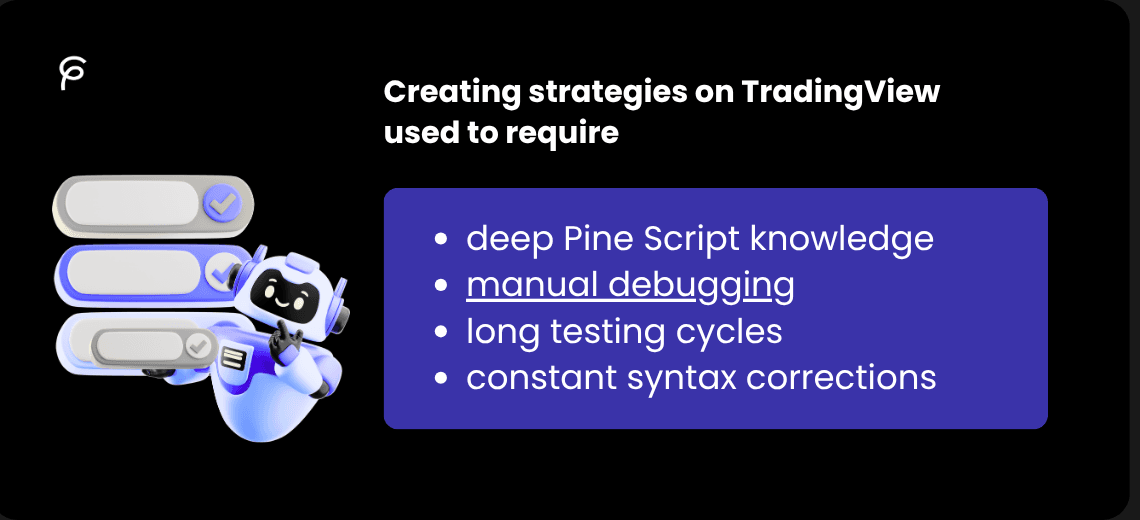
Creating strategies on TradingView used to require:
-
deep Pine Script knowledge
-
long testing cycles
-
constant syntax corrections
Now, traders are shifting toward AI Pine Script generators because they allow:
-
faster idea testing
-
instant strategy building
-
reduced coding complexity
-
easier experimentation
But speed is not the main reason.
The real reason is this, Traders want to focus on strategy logic, not syntax problems.
2. What “Creating Pine Script with AI” Actually Means
Many people misunderstand this. AI does NOT “trade for you” or magically create profitable systems.
Instead, it does this: Converts ideas → structured code
Example: “Buy when EMA crosses RSI confirmation"
Becomes:
-
entry logic
-
exit rules
-
risk structure
-
Helps generate variations
Instead of one strategy, AI creates:
-
multiple versions
-
parameter changes
-
filtered conditions
-
Speeds up debugging
AI can help identify:
-
syntax issues
-
missing strategy blocks
-
logic inconsistencies
But it still needs validation.
3. Step-by-Step: How to Create Pine Script with AI
Step 1: Define your trading logic clearly
Bad input: “Make a good strategy”
Good input: “Create EMA crossover strategy with RSI filter and ATR stop loss”
Step 2: Use a Pine Script AI generator
Tools like:
-
Pine Script AI generator
-
TradingView Pine Script generator
-
AI Pine Script code generator
convert logic → structured script
Step 3: Validate strategy structure
Check:
-
entry conditions
-
exit conditions
-
risk logic
Step 4: Backtest in TradingView
Always verify:
-
win rate stability
-
drawdown behavior
-
execution consistency
Step 5: Iterate
AI is not one-shot.
Real strategy building looks like: generate → test → fix → regenerate → refine
4. Big Coding Example (AI Pine Script Strategy)
//@version=6
strategy("AI Generated Strategy Example", overlay=true)

// Indicators
emaFast = ta.ema(close, 21)
emaSlow = ta.ema(close, 55)
rsiVal  = ta.rsi(close, 14)
atrVal  = ta.atr(14)

// Conditions
longCondition = ta.crossover(emaFast, emaSlow) and rsiVal > 50
shortCondition = ta.crossunder(emaFast, emaSlow) and rsiVal < 50

// Entries
if longCondition
    strategy.entry("Long", strategy.long)

if shortCondition
    strategy.entry("Short", strategy.short)

// Risk management
strategy.exit("Long Exit", from_entry="Long",
     stop=close - atrVal * 2,
     limit=close + atrVal * 3)

strategy.exit("Short Exit", from_entry="Short",
     stop=close + atrVal * 2,
     limit=close - atrVal * 3)
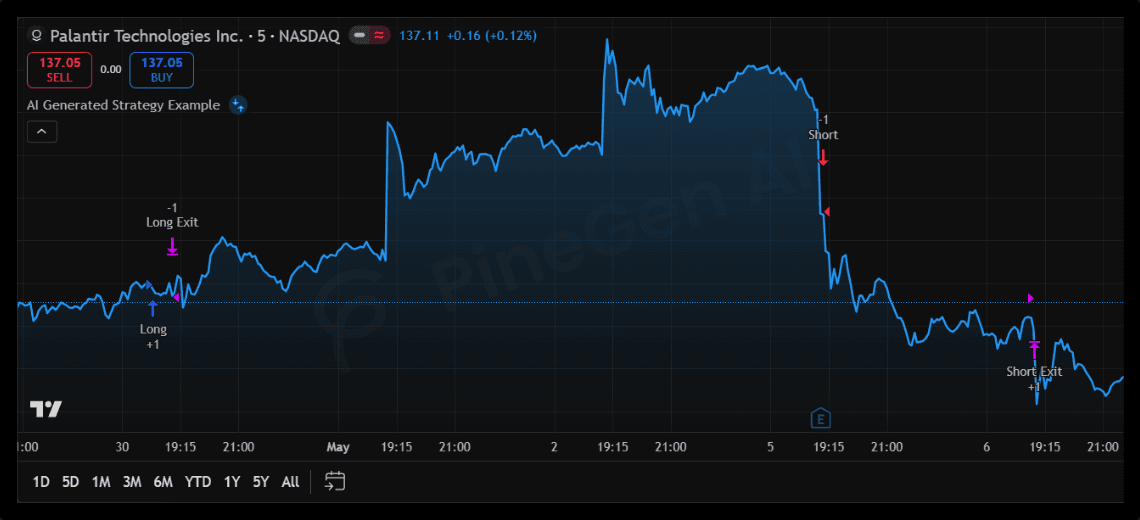
This is what most AI Pine Script generators aim to produce, but correctness depends on structure, not just code output.
5. Where Most AI Generated Strategies Fail
Even if AI generates valid code, issues still appear:
1. Weak risk modeling: Stops and exits are often too simple.
2. No market context awareness
AI does not understand:
-
liquidity shifts
-
news impact
3. Over-simplified logic
Many strategies ignore:
-
confirmation filters
-
false breakout protection
-
trend strength conditions
4. Backtest vs real mismatch: What looks profitable historically may fail in live conditions.
6. Why Tool Choice Matters More Than Prompts
Not all AI tools behave the same.
General AI tools: generate code but lack trading structure awareness
Dedicated tools: understand TradingView rules, reduce debugging effort, improve strategy consistency
This is where specialized systems like Pine Script AI platforms become important.
7. Why PineGen AI Is Built for This Workflow
PineGen AI is designed specifically for TradingView strategy creation.
It focuses on:
-
Structured Strategy Output: Not just code snippets, full strategy architecture.
-
TradingView Compatibility: Designed around strategy tester rules.
-
Debugging Assistance: Helps identify logic-level problems, not just syntax issues.
-
Iteration-Based Development: Supports continuous refinement instead of one-time generation.
8. Pricing Flexibility (PineGen AI pricing)
Different plans support different levels of:
-
strategy generation
-
debugging depth
-
iteration capacity
So users can scale from beginner testing → advanced system building.
9. Why Pine Script AI Is Not Just Code Generation
This is important:
Pine Script AI is NOT just: “generate code from text”
It is actually:
-
strategy design assistance
-
logic structuring
-
testing acceleration
-
debugging workflow support
So the real value is not writing code faster.
It is building strategies faster with fewer structural errors.
10. Final Thoughts
Creating Pine Script with AI is no longer a futuristic idea, it is already part of modern trading workflows.
But there is a key truth: AI does not replace strategy thinking, it accelerates it.
The traders who win are not the ones who generate the fastest code.
They are the ones who:
-
test properly
-
refine continuously
-
understand market behavior
-
use AI as a structured assistant, not a shortcut
If you are using Pine Script AI generators only to create code, you are missing the real advantage.
The real power comes from:
-
structured strategy building
-
fast debugging cycles
-
continuous improvement
That is exactly what PineGen AI is designed for.
Use PineGen AI to go from trading ideas → structured strategy → tested system faster, with fewer logic errors and better workflow control.